
M3U player
M3U & IPTV Player for Google TV and Android TV
GoBox Player plays your own M3U, M3U8 and Xtream Codes playlists on Google TV and Android TV.
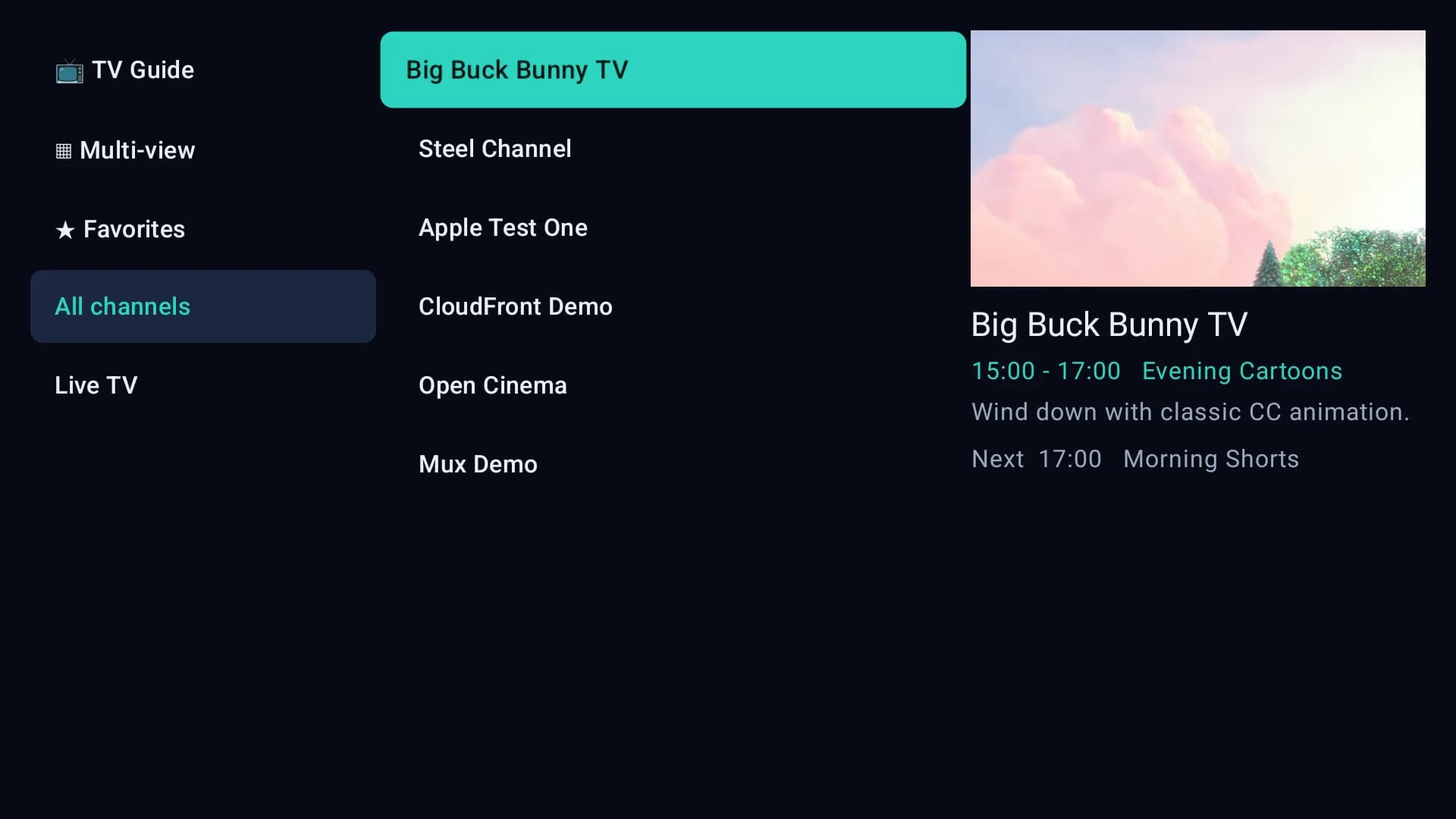
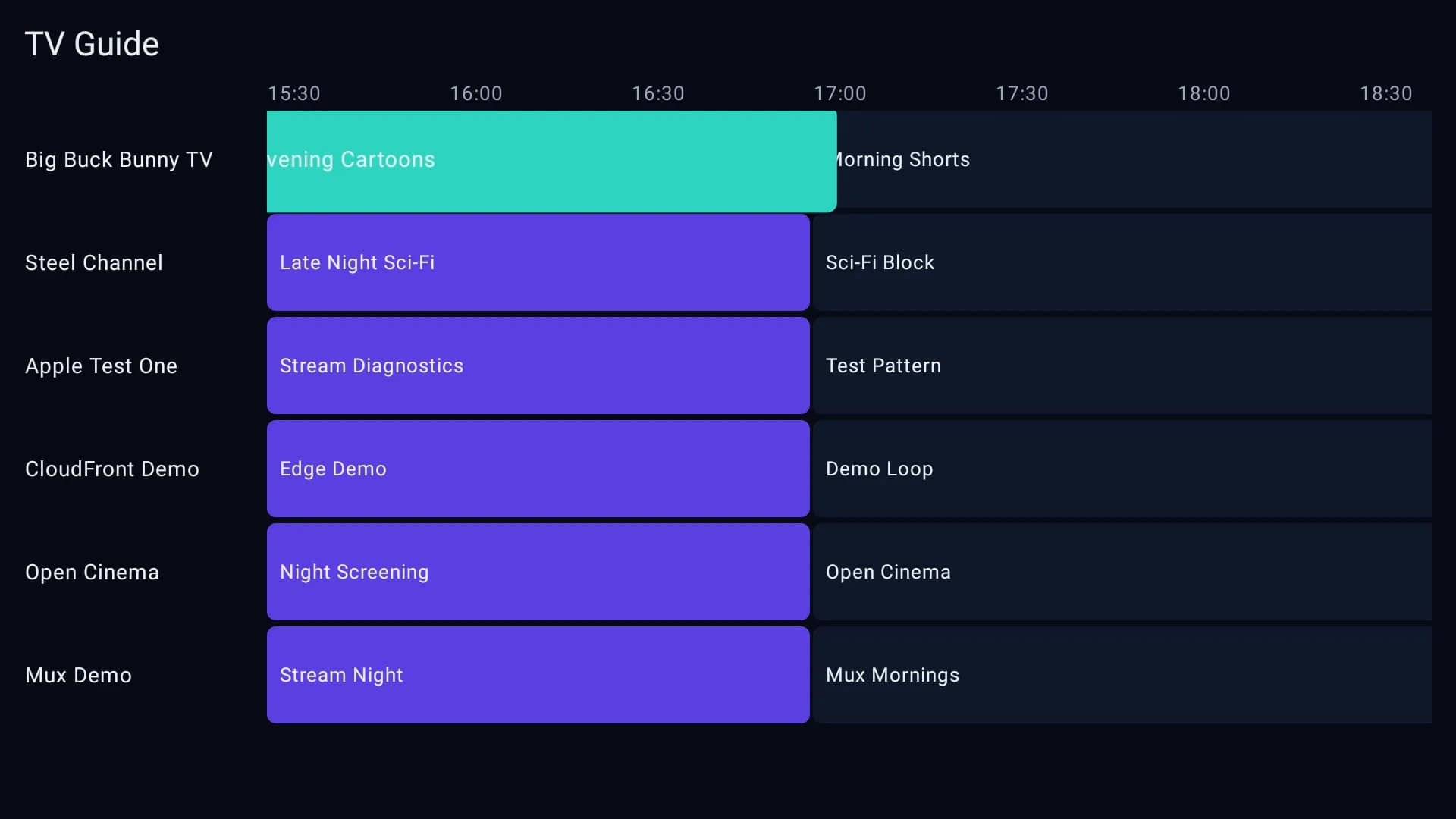
GoBox Player is an M3U and IPTV player for Google TV and Android TV. It plays playlists you already have: an M3U or M3U8 URL, an M3U file, or an Xtream Codes login. GoBox Player sorts the playlist into live, film and show sections, shows a program guide, and runs on Chromecast with Google TV, Android TV boxes and Google TV or Android TV sets. It is a player only and includes no channels. Every device gets a 7-day free trial; see pricing.
How do you add an M3U playlist URL on Google TV or Android TV?
Install GoBox Player from the Google Play Store, then add the M3U URL in the web portal instead of typing it with a remote. The TV picks the playlist up automatically.
- Open GoBox Player on the TV. The activation screen shows a MAC address and a 6-character code.
- On a phone or computer, open the portal and sign in with that MAC address and code.
- Choose to add a playlist, paste the M3U or M3U8 URL (or upload the file), and save.
- Return to the TV. GoBox Player loads the playlist and fills the live, film and show sections.
The full walkthrough is on How it works.
How do you log in with Xtream Codes on Android TV?
In the GoBox Player portal, choose Xtream Codes and enter the server address, username and password from your provider. GoBox Player then loads live, film and show lists and the guide from that account. A pasted panel link such as one ending in get.php or player_api.php is accepted as the server address.
What features does the GoBox Player M3U player have?
- Program guide (EPG): XMLTV guide with what is on now and next.
- Favourites: long-press a channel to add it to favourites.
- Multiple playlists: several M3U or Xtream sources on one device, managed from the portal.
- Parental controls: lock adult categories behind a 4–6 digit PIN.
- Direct playback: the app streams straight from your source on Media3/ExoPlayer; GoBox stores only the playlist details you add.
Which devices does GoBox Player support?
GoBox Player supports Google TV, Android TV, Chromecast with Google TV and Android TV boxes, including TCL, Sony and Philips TVs that run Google TV or Android TV. Install it from Google Play on the TV itself. See the FAQ for the device list.
What is the difference between M3U, M3U8 and Xtream Codes?
Wikipedia describes M3U as “a computer file format for a multimedia playlist”. An M3U file lists stream addresses one per line. M3U8 is the same format saved in UTF-8, which is the version used with HLS streaming. Xtream Codes is different: a login (server, username, password) that returns the playlist, guide, films and shows from an API. GoBox Player accepts all three.
Why won't my M3U playlist load?
A playlist that will not load almost always has one of three causes. First, the link is expired or has a typo, so copy it again from your provider. Second, the link opens a web page rather than returning a playlist; a working M3U link downloads a file that starts with #EXTM3U. Third, the provider is blocking the request or its server is down, which only your provider can fix. GoBox Player checks a playlist when it is saved, so an unreadable link is flagged in the portal instead of failing silently on the TV.
Does GoBox Player include channels?
No. GoBox Player is a player for your own playlists and provides no channels, streams or subscriptions. Use only playlists from providers you are licensed to use. GoBox Player is built on Android Media3 ExoPlayer, the same open-source player library Google publishes for Android apps.
Frequently asked questions
Is GoBox Player free?
GoBox Player has a 7-day free trial on every device. After the trial, one device costs $5 per year or $50 once for lifetime access. Payment is a one-time PayPal checkout, not a subscription.
Does GoBox Player need a subscription?
No. GoBox Player has no recurring billing. The yearly plan is a one-time $5 payment that extends the license by one year, and the lifetime plan is a one-time $50 payment.
Does GoBox Player include channels or playlists?
No. GoBox Player is a player only. You add an M3U playlist or Xtream Codes login from a provider you are licensed to use. GoBox Player provides no channels, streams or subscriptions.
Do I need a VPN to use an M3U player?
GoBox Player does not require a VPN. Whether a VPN helps depends on your own network and your playlist provider, so check your provider's terms.
What is the difference between M3U and Xtream Codes?
An M3U playlist is a single file or URL listing streams. An Xtream Codes login is a server address, username and password that returns the playlist, guide and film or show lists through an API. GoBox Player accepts both.
Why won't my M3U playlist load?
The most common causes are an expired or mistyped URL, a link that opens a web page instead of returning the playlist, or a provider that blocks the request. Re-copy the link from your provider and add it again in the portal. See the troubleshooting section above.
How do I set up the TV guide (EPG)?
GoBox Player reads the XMLTV guide that comes with your playlist or Xtream Codes account and shows what is on now and next. No separate guide setup is needed in the app.
Which devices does GoBox Player support?
GoBox Player runs on Google TV, Android TV, Chromecast with Google TV and Android TV boxes, including TVs from brands that ship Google TV or Android TV such as TCL, Sony and Philips.
Try GoBox Player free for 7 days
Get it on Google Play